
Maricopa County GIS presents a structured digital mapping system that displays land parcels, property boundaries, and spatial data across Maricopa County, Arizona. It organizes geographic records into layered map views that support clear interpretation of land and property details.
A Geographic Information System (GIS) works as a location-based data framework that converts geographic records into visual map layers. It displays how land features relate through structured spatial data such as parcels, zoning lines, and aerial imagery. In Maricopa County Arizona, this system supports county mapping operations, property visualization, and land data organization. The Maricopa County GIS AZ platform brings parcel information, zoning details, and geographic attributes into one mapped system used for land evaluation and planning.
What is Maricopa County GIS?
Maricopa County GIS is a geographic data system that organizes location-based information into digital maps. It connects land records, infrastructure data, and spatial layers for county use. This system uses mapping technology and spatial analysis to support planning, mapping accuracy, and public services across the county.
Maricopa County GIS, or Geographic Information System, works as a structured data platform that links information to real-world locations. It stores details such as property lines, road networks, utility lines, and zoning areas. Each dataset appears as a layer on digital maps, which makes patterns easier to read. The system applies spatial analysis to compare geographic features. For example, it can show how land use changes near highways or how elevation affects drainage areas. This improves data clarity for decision-making across county services. Maricopa County combines multiple datasets into one central mapping system. This setup reduces errors in record keeping and keeps location data consistent across departments.
County use of the GIS mapping system
Several county departments rely on GIS for mapping, planning, and operational tasks. The system connects location data with real-time service needs across public functions.
- Assessor’s Office: Tracks parcel boundaries and updates property maps
- Flood Control District: Maps drainage systems and flood risk zones
- Transportation Department: Plans road layouts and traffic flow networks
GIS also plays a role in infrastructure planning and emergency response mapping. It allows teams to view overlapping data layers such as utilities, roads, and land elevation in one system.
| Department | GIS Use |
|---|---|
| Assessor Office | Property boundaries and parcel mapping |
| Flood Control District | Water flow and flood zone mapping |
| Transportation Department | Road design and traffic mapping systems |
This structured mapping approach keeps county data aligned across services and improves consistency in geographic records.
Official Maricopa County GIS Map Hub
The Official Maricopa County GIS Map Hub works as a centralized mapping system for geographic data across Maricopa County. It supports the Maricopa County, AZ GIS map, where users view land details, parcel records, https://www.maricopa.gov/507/GIS-Maps, and location-based layers through a structured GIS hub. This system brings multiple spatial datasets into one county map viewer, so public users and professionals can check accurate land and infrastructure data in one place.
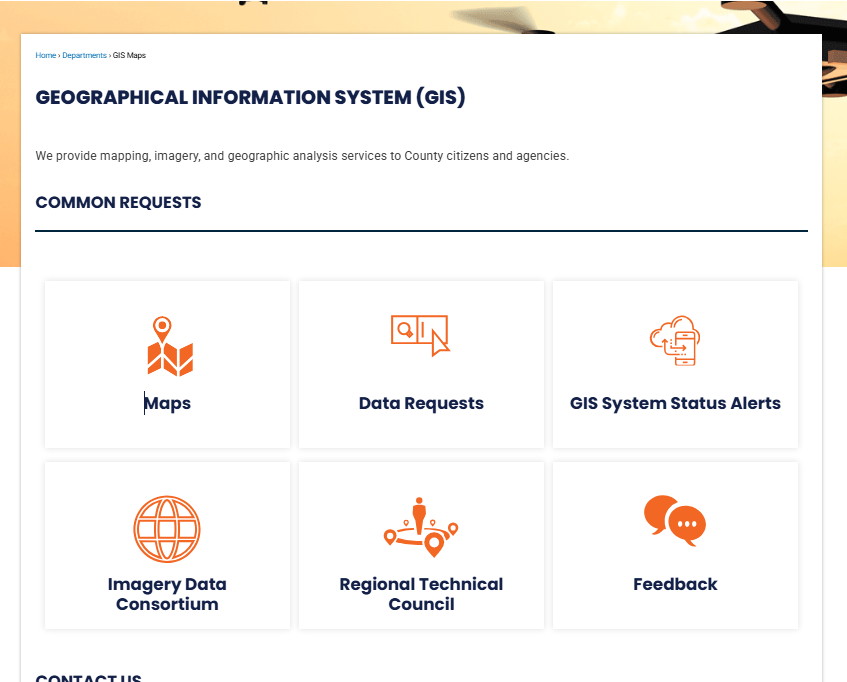
Maricopa County, AZ GIS Map Hub features
The GIS hub operates as a central point for spatial data services across the county. It combines property records, zoning layers, and environmental data into one interactive system. Through the county map viewer, users can switch between map layers and visualize different geographic themes with ease. The maricopa county az gis map presents high-detail mapping layers that support planning, property review, and public research needs. It runs on a centralized mapping system, which keeps data updated from county departments.
Elements inside the hub include:
- Interactive map layers for parcels, zoning, and land use
- High-resolution imagery for aerial and satellite viewing
- Search tools for parcel numbers, addresses, and coordinates
- Layer controls for turning data sets on and off
- Print and share options for map outputs
The interface focuses on clarity, so users can view spatial information without switching between separate systems. This structure supports faster data checks for property and planning-related tasks.
Tools inside the GIS hub and the county map viewer
The GIS hub provides multiple built-in tools inside the county map viewer. These tools support data comparison, measurement, and spatial analysis within a single platform.
Common tools include:
- Distance and area measurement tools for land checks
- Layer comparison features for zoning and land records
- Basemap selection for different visual backgrounds
- Bookmark tools for saving map locations
- Data query panels for parcel and infrastructure details
The county map viewer also supports layered visualization, so users can stack datasets like roads, parcels, and flood zones. This helps in reviewing relationships between different geographic features without switching platforms.
Parcel Maps & Property Lookup System
Parcel maps and property lookup tools in Maricopa County GIS show land details, ownership, and boundary data in one place. These tools help users review land records, zoning details, and cadastral mapping tied to each parcel. The system uses interactive parcel maps to display property lines, land ownership data, and zoning layers. Users can search by parcel number or address to see structured property details.
Parcel Viewer and Cadastral Mapping in Maricopa County GIS AZ
The parcel viewer works as a spatial map tool inside the Maricopa County GIS AZ systems. It displays land ownership data and property boundaries through layered mapping.
Each parcel shows key records tied to cadastral mapping, including:
- Parcel boundaries
- Ownership records
- Zoning category
- Assessor details
- Tax parcel identifiers
Users can click any land area to view structured property lookup results linked to official county records. The map also separates residential, commercial, and public land types through zoning overlays.
Property Lookup and APN Search Process
The property lookup tool works through search input fields connected to parcel databases. Users can type an address or APN (Assessor Parcel Number) to pull property details.
Common search methods include:
- Enter full street address
- Enter APN for direct parcel match
- Use map click selection
- Filter by zoning category or area
After the search, the system shows:
- Owner name from land ownership data records
- Parcel size and shape
- Legal description of the property
- Zoning classification
- Assessed land value
- Tax parcel reference
APN lookup works as the fastest method because it directly connects to a unique parcel ID.
Zoning Layers and Ownership View
The zoning and ownership view tools show how land is classified across Maricopa County. These layers help separate land use types and legal restrictions tied to each parcel.
Zoning and ownership features:
| Feature | Description |
|---|---|
| Zoning layer | Shows residential, commercial, industrial zones |
| Ownership view | Displays recorded land owner details |
| Parcel overlay | Highlights property boundaries on map |
| Land use filter | Separates public and private land |
| Cadastral grid | Displays surveyed land divisions |
These tools help users compare property boundaries with zoning rules and land records. The system also supports layered map switching for clearer visualization of parcel maps.
GIS Open Data Portal
The GIS Open Data Portal provides a central system for public geographic datasets in Maricopa County. It offers downloadable maps, spatial files, and structured data for mapping and analysis needs. This system supports transparent sharing of public GIS data across multiple sectors. Users can review and download datasets related to land, environment, elections, and infrastructure. The portal works as a structured open data system that keeps information organized and regularly updated for public use.
Open Data System for GIS Records
The Maricopa County GIS open data system stores large volumes of spatial information in a searchable format. It supports data-driven decisions for planning, research, and mapping projects. Each dataset is categorized for easier filtering and comparison. The system focuses on standardized formats that work with common GIS tools like ArcGIS and QGIS. This supports professionals who work with geographic datasets for analysis and visualization.
Features include:
- Centralized storage of county-wide GIS layers
- Standard file formats such as SHP, CSV, and GeoJSON
- Regular updates from county departments
- Metadata for dataset clarity and usage context
This structure helps maintain consistent spatial data across departments and public platforms.
Flood, Environmental & Risk Mapping Tools
Flood, environmental, and risk mapping tools in Maricopa County GIS present structured geographic risk data for land planning and safety review. These tools combine floodplain maps, FEMA datasets, and elevation data for detailed flood zone analysis. They support data-driven land mapping decisions across residential, commercial, and environmental sectors.
Floodplain Maps and FEMA Data Layers
Floodplain mapping inside Maricopa County GIS shows areas that may face flooding during extreme weather events. These layers use FEMA mapping standards to classify flood zones such as high-risk and moderate-risk areas. The system supports flood zone analysis by combining historical water flow patterns with terrain elevation data. Users working with geographic risk data can view how land sits in relation to rivers, drainage systems, and stormwater channels. This helps planners and property analysts compare elevation levels with potential flood exposure.
Elements inside this layer set include:
- FEMA flood insurance rate maps
- 100-year and 500-year flood zones
- Base flood elevation markers
- Drainage and watershed boundaries
- Elevation data tied to land mapping grids
A simplified view of flood-related layers:
| Layer Type | Purpose | Data Source |
|---|---|---|
| Flood Zones | Risk classification | FEMA |
| Elevation Grid | Surface height reference | USGS terrain models |
| Watershed Data | Water flow direction | Hydrology datasets |
| Storm Impact Areas | Drainage stress points | County environmental records |
These datasets support planners in comparing land elevation with flood exposure patterns for property and infrastructure review.
Environmental Layers and Risk Analysis Tools
Environmental mapping tools extend beyond flooding data and focus on long-term land conditions. These tools combine environmental monitoring layers with geographic risk data for broader spatial analysis. Users can review vegetation cover, soil conditions, water pathways, and land use changes. Risk analysis tools integrate multiple datasets into a single view. This supports the evaluation of how land conditions interact with environmental pressure points.
Core environmental and risk components include:
- Environmental monitoring layers for land conditions
- Soil composition and permeability datasets
- Surface runoff and drainage modeling
- Elevation data tied to slope behavior
- Flood zone analysis overlays with land use maps
These combined layers help identify areas where environmental stress may increase over time, such as low-lying zones or high-runoff surfaces. They also support comparison between natural terrain features and developed land zones.
Transportation & Road GIS Maps
Transportation and road GIS maps in Maricopa County show real-time road conditions, planning data, and infrastructure layouts. These maps support road closures tracking, traffic flow monitoring, and long-term transport planning. The GIS system brings together road network mapping, traffic data, and infrastructure layers into one structured map view. Users see how highways, streets, and transport corridors connect across the county.
Road closures and traffic GIS system layers
Road closure data appears on active map layers with location pins and status updates. The traffic GIS system displays congestion points, incident zones, and construction areas.
Mapping elements include:
- Active and scheduled road closures
- Traffic speed and flow segments
- Construction and maintenance zones
- Signal and intersection points
- Highway and arterial road networks
These layers help planners and field teams track movement patterns across time.
Transportation planning maps and infrastructure layers
Transportation planning maps show how future roads and expansions may develop. Planners use these datasets for corridor studies and capacity checks.
Core infrastructure layers include:
| Layer Type | Data Displayed |
|---|---|
| Road network mapping | Streets, highways, connectors |
| Bridge structures | Overpasses and crossings |
| Utility corridors | Underground and surface routes |
| Transit routes | Bus and rail paths |
These datasets support coordination between engineering teams and public works departments.
Parks, Trails & Recreation Mapping
Parks and recreation GIS maps show park locations, trail routes, and public outdoor spaces across Maricopa County. These maps help residents view recreation areas and trail systems in one organized platform. The system combines park data with trail mapping system layers and public land information. It also shows access points for outdoor activity areas.
Parks locator and recreation GIS layers
The parks locator highlights community parks, regional parks, and open spaces. Each location includes amenities such as picnic areas, sports fields, and parking zones.
Recreation GIS layers display:
- Park boundaries and facilities
- Sports fields and courts
- Campgrounds and picnic zones
- Visitor parking locations
- Water and shaded areas
These layers support trip planning for outdoor activities.
Trail systems and public land access data
Trail systems appear as mapped paths for hiking, biking, and walking. The trail mapping system shows difficulty levels and route connections.
Elements include:
- Trail length and elevation profiles
- Entry and exit points
- Connection between regional trails
- Public land access zones
- Natural reserve boundaries
Public land access layers show where visitors can enter conservation areas and recreational zones. This supports safe movement across parks and natural spaces while keeping track of permitted access routes.
Elections & Voting GIS Maps
Voting location maps show where residents cast ballots across Maricopa County. These GIS tools also display precinct mapping and district boundaries for clear election geography reference. The elections GIS layer in Maricopa County supports voter map system functions used by public agencies and planners. It connects polling places, precinct lines, and legislative districts into one spatial view.
Voting Location Maps and Precinct Structure
Voting location maps present polling sites with precise geographic placement. Users can view assigned centers based on residential address zones. Precinct mapping separates areas into smaller voting units for administration and reporting. District boundaries appear as layered overlays. These include city council districts, state legislative districts, and congressional zones. Election geography data helps show how populations are distributed across voting regions.
Common GIS elements in this system:
- Polling station coordinates
- Precinct boundary polygons
- District boundary overlays
- Voter assignment zones
- Election reporting regions
The voter map system also supports election planning teams. It helps review turnout distribution and location coverage gaps. GIS layers allow comparison between precinct size and population density.
Survey Control & Land Records System
Survey control and land records GIS display precise measurement frameworks across Maricopa County. This system organizes survey points and land measurement data for mapping accuracy and engineering work. The cadastral survey system provides structured land parcel references. It connects legal land descriptions with mapped geometry. Control point data supports accurate positioning for field surveys and construction projects.
Survey Points and Engineering Data Use
Survey points represent fixed geographic markers used for reference. These points support land boundary verification and infrastructure planning. Engineers rely on these coordinates for alignment and site design. Land measurement data includes parcel dimensions, elevations, and recorded boundaries. This data supports property mapping and infrastructure layouts. Survey records also help resolve boundary differences between adjacent parcels.
Engineering use cases include:
- Road alignment planning
- Utility placement mapping
- Construction site layout
- Drainage and elevation checks
- Infrastructure expansion mapping
Control point data forms the backbone of mapping precision. It links GPS measurements with official county records. Surveyors use these values for field validation and project calibration.
How Accurate is GIS Data?
GIS data in Maricopa County shows strong spatial reference for general mapping, yet it does not replace legal land surveys. Accuracy depends on source records, update cycles, and reference datasets used by the county system. GIS mapping accuracy limits exist because the system combines multiple data layers from different origins. Property shapes, parcel lines, and road features may shift slightly based on updated reference data usage.
Survey Data vs GIS Data
Survey records and GIS layers serve different roles in land information systems. Survey data is measured on-site with legal precision, while GIS represents a mapped version for visualization and planning.
| Feature | Survey Data | GIS Data |
|---|---|---|
| Purpose | Legal boundary definition | Visual mapping and analysis |
| Accuracy | Very high (field measurement) | Moderate (compiled datasets) |
| Usage | Property disputes, legal filings | Planning, search, reference viewing |
How to Use Maricopa County GIS Tools
Maricopa County GIS tools give a map-based system for viewing parcels, zoning, and land details. The process stays simple and works through the online GIS hub known as Maricopa County GIS AZ Portal Services. Users interact with interactive maps, parcel search tools, and layered datasets for property review.
Open GIS Hub
Start by opening the official county GIS portal. The main page shows map tools, search bars, and dataset options.
Select Map Type
Choose from available map views such as:
- Parcel viewer map
- Zoning map
- Aerial imagery view
- Infrastructure layers
Each map type shows different reference data usage for land details.
Search Parcel or Address
Use the search tool to enter:
- Parcel number (APN)
- Street address
- Owner name reference (if available in dataset)
The system then zooms into the selected location.
View Layers and Data
Turn layers on or off for clearer analysis:
- Property boundaries
- Flood zones
- Road networks
- Land use categories
GIS Support & Contact Information
Maricopa County GIS support provides help for map issues, parcel data questions, and system feedback. The support team handles technical and data-related requests for GIS users.
Contact Channels
Users can reach GIS support through county communication channels:
- County GIS service desk email system
- Official Maricopa County customer support page
- Online feedback form inside the GIS portal
- Phone support via the county information center
Support Services
The GIS helpdesk handles:
- Parcel data corrections
- Map display issues
- Layer loading problems
- Data update requests
A feedback system inside the portal also allows users to report map errors or missing details. Requests get reviewed by GIS staff for dataset updates or corrections.
(FAQs) About Maricopa County GIS
Maricopa County GIS supports a property lookup system that helps users view land details, parcel boundaries, and mapping records in one place. It combines land mapping tools with geographic data access to show property-related information clearly. Users rely on it for quick checks of land, zoning, and location data.
What is Maricopa County GIS used for?
Maricopa County GIS is used for viewing land records, parcel details, and spatial information on interactive maps. It connects property data with map layers for easier analysis and comparison. Users rely on it for zoning checks, land review, and planning work. It also supports real estate research and public data viewing.
How does property search work in GIS maps?
Property search in GIS maps works through address entry, parcel ID input, or direct map selection. The system highlights the selected property and shows related details. Users can view ownership, land size, and zoning information. It also helps compare nearby parcels on the same map view.
What is Maricopa County GIS used for?
Maricopa County GIS is used for property lookup, land mapping tools, and geographic data review. It helps users check parcel boundaries and land records. It also supports zoning analysis and planning activities. The system connects map data with official property records.
How do property searches work on GIS maps?
Property searches work by entering an address, parcel number, or selecting a location on the map. The system pulls matching property data instantly. Users can view land details, zoning type, and parcel shape. It also shows surrounding land information for comparison.
Is GIS data legally accurate?
GIS data is based on official county records and is used for reference and planning. It reflects updated property and land information from government sources. However, legal verification may still require certified documents. It is widely trusted for informational use and analysis.